Job Listing
The platform allows candidates to browse available job listings, filter results, and apply directly from the system.
Before applying to any job, candidates must complete their profile and upload their CV.
Once the profile is filled out, candidates can apply for multiple job openings directly from the job listings page.
Job listings view 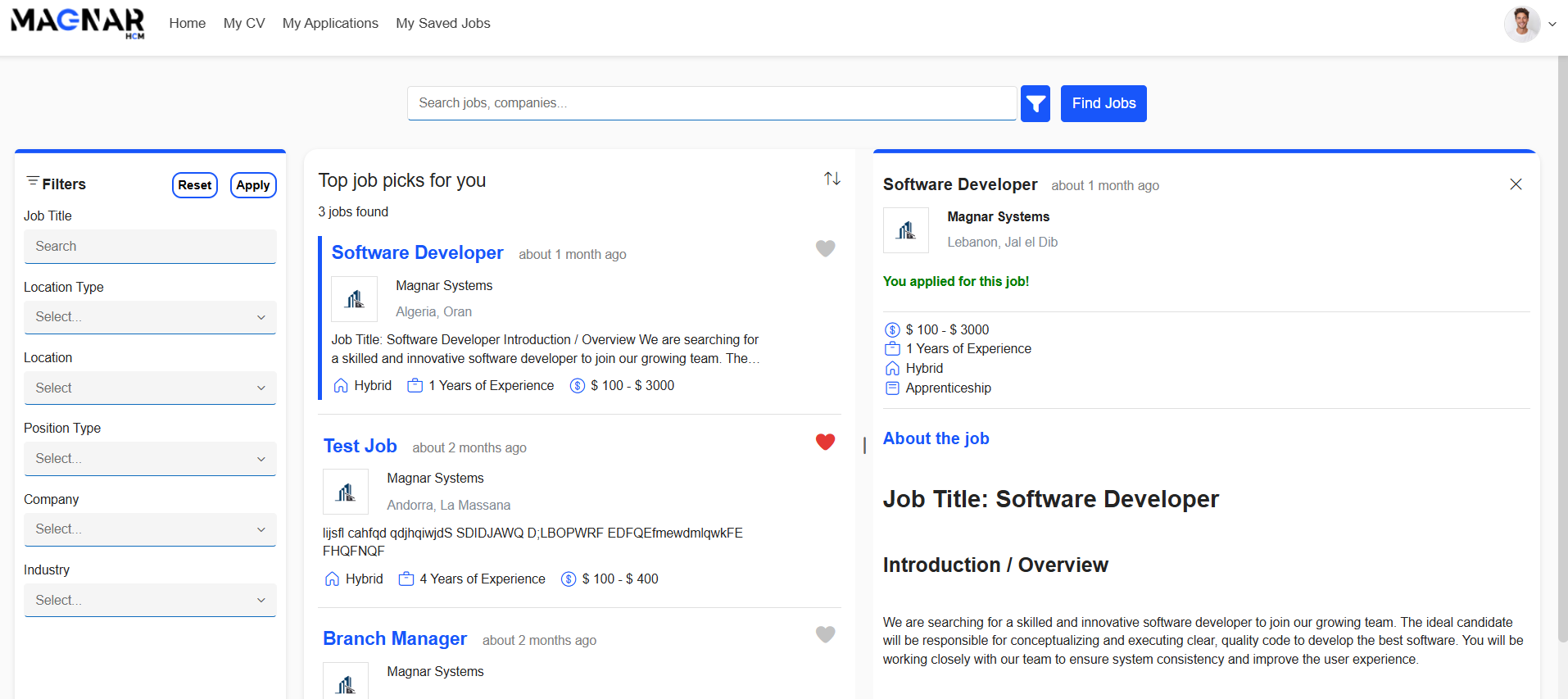
Apply for a Job
Each application’s progress and current status (e.g., Pending, Interviewed, Rejected…) can be tracked in the My Applications section, allowing candidates to stay updated on their recruitment journey.
Job applications view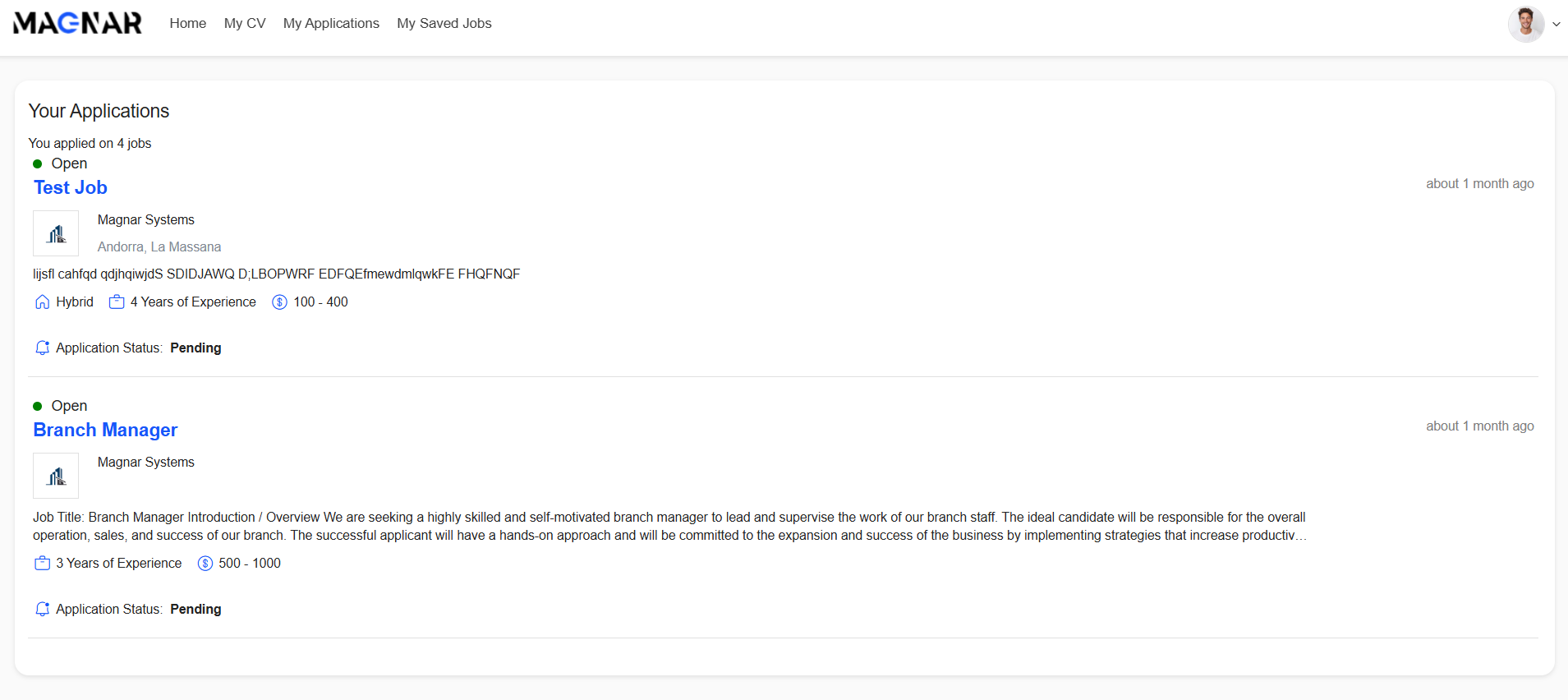
Saved Jobs
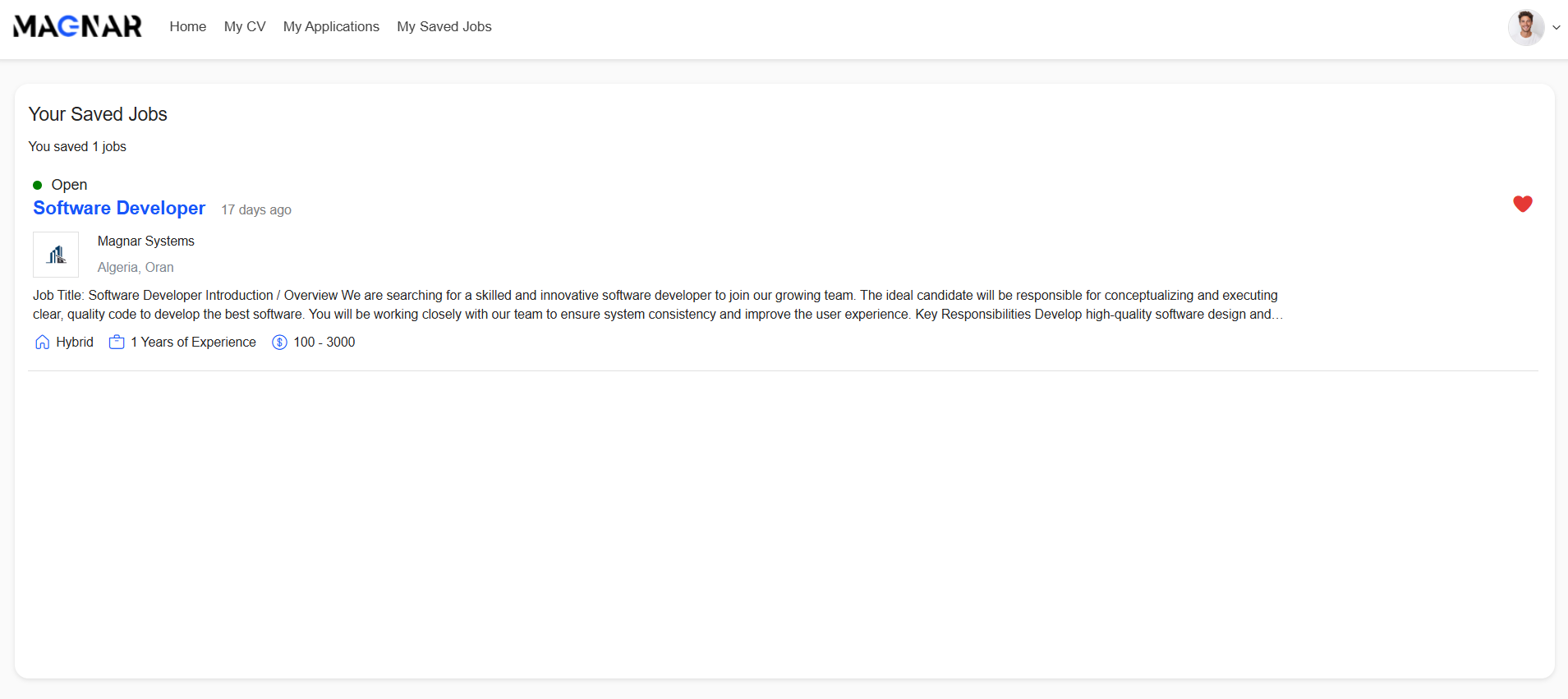
Candidates can save jobs to apply later and track them in the My Saved Jobs section.
Saved jobs view
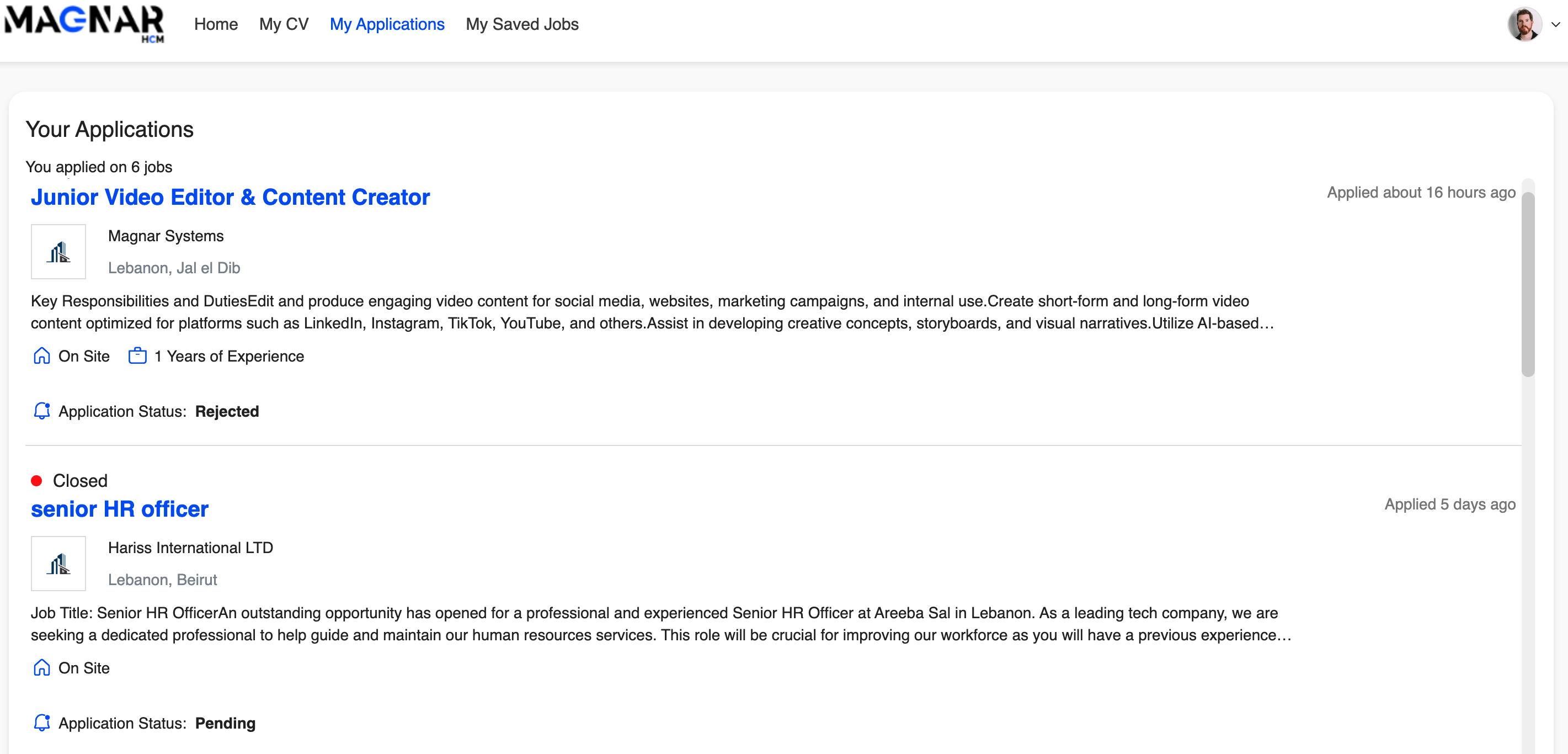
Track Your Application
Go to my Applications and check the status of the Job and your Application
Was this article helpful?
That’s Great!
Thank you for your feedback
Sorry! We couldn't be helpful
Thank you for your feedback
Feedback sent
We appreciate your effort and will try to fix the article