Managing Users
The admin can view all registered users, including candidates, recruiters, and other admins. Admins can:
- Reset passwords
- Change user info
- Change user roles (e.g., candidate to recruiter, recruiter to admin)
- Activate or deactivate accounts,
- Grant specific permissions for:
Recruiters
Can Create Company: Allows recruiters to create new companies.
A recruiter must first register as a candidate. Once registered, the admin can update their role to 'Recruiter'.
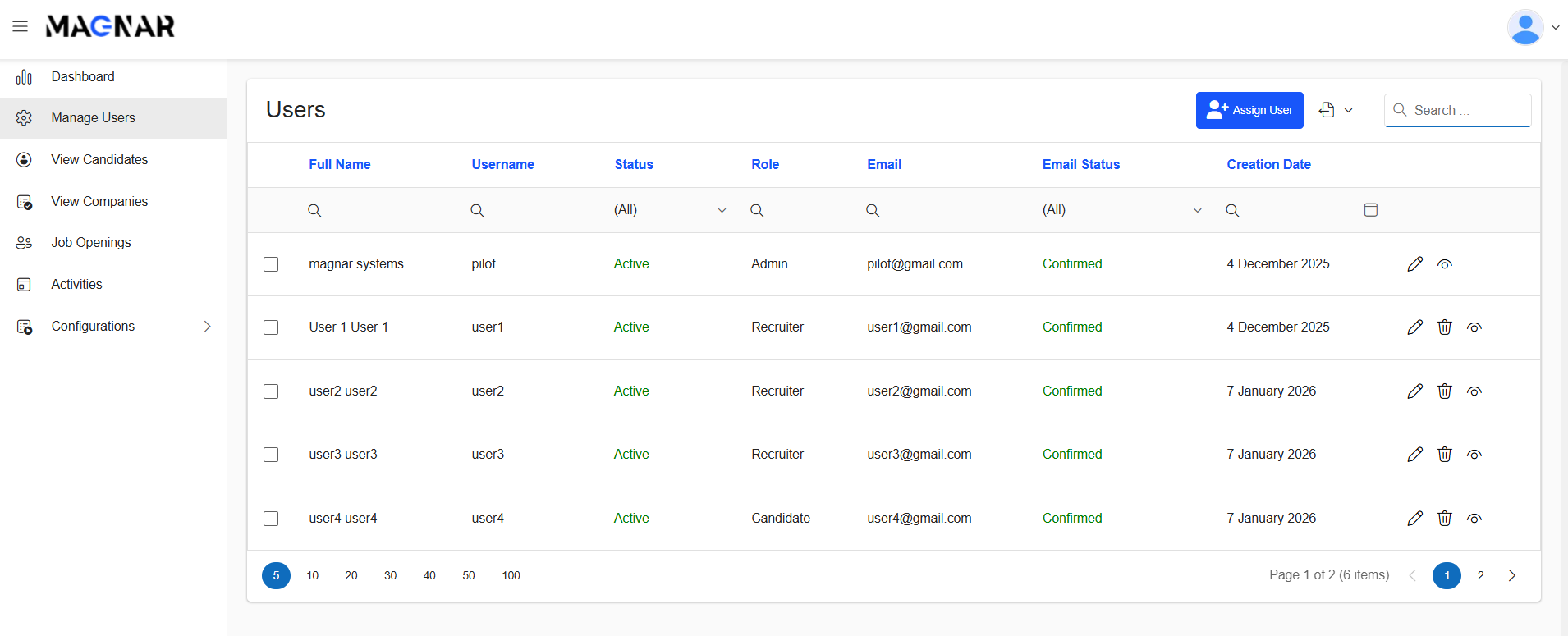
Users list view
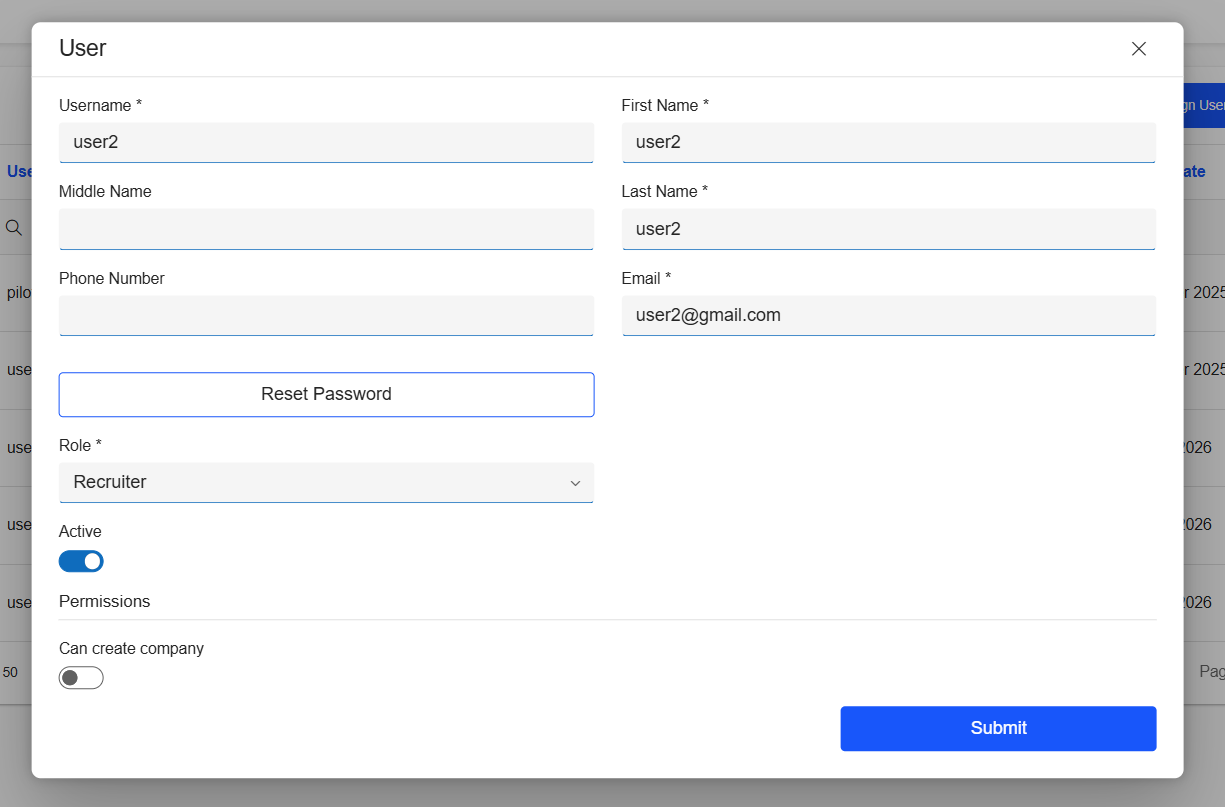
Edit User
Assign Recruiter
Admin can link a recruiter to a specific company with a defined permission.
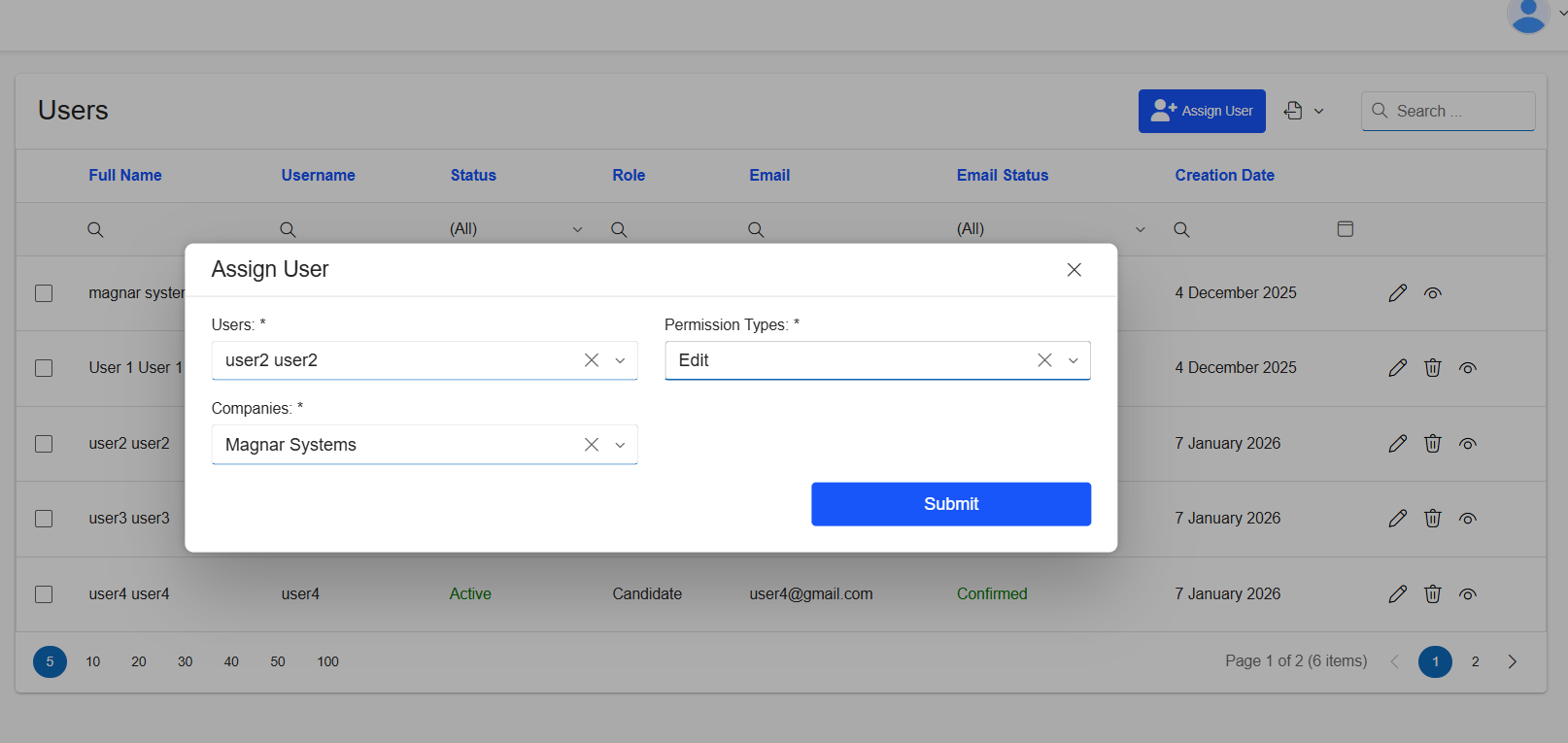
Assign User View
Was this article helpful?
That’s Great!
Thank you for your feedback
Sorry! We couldn't be helpful
Thank you for your feedback
Feedback sent
We appreciate your effort and will try to fix the article