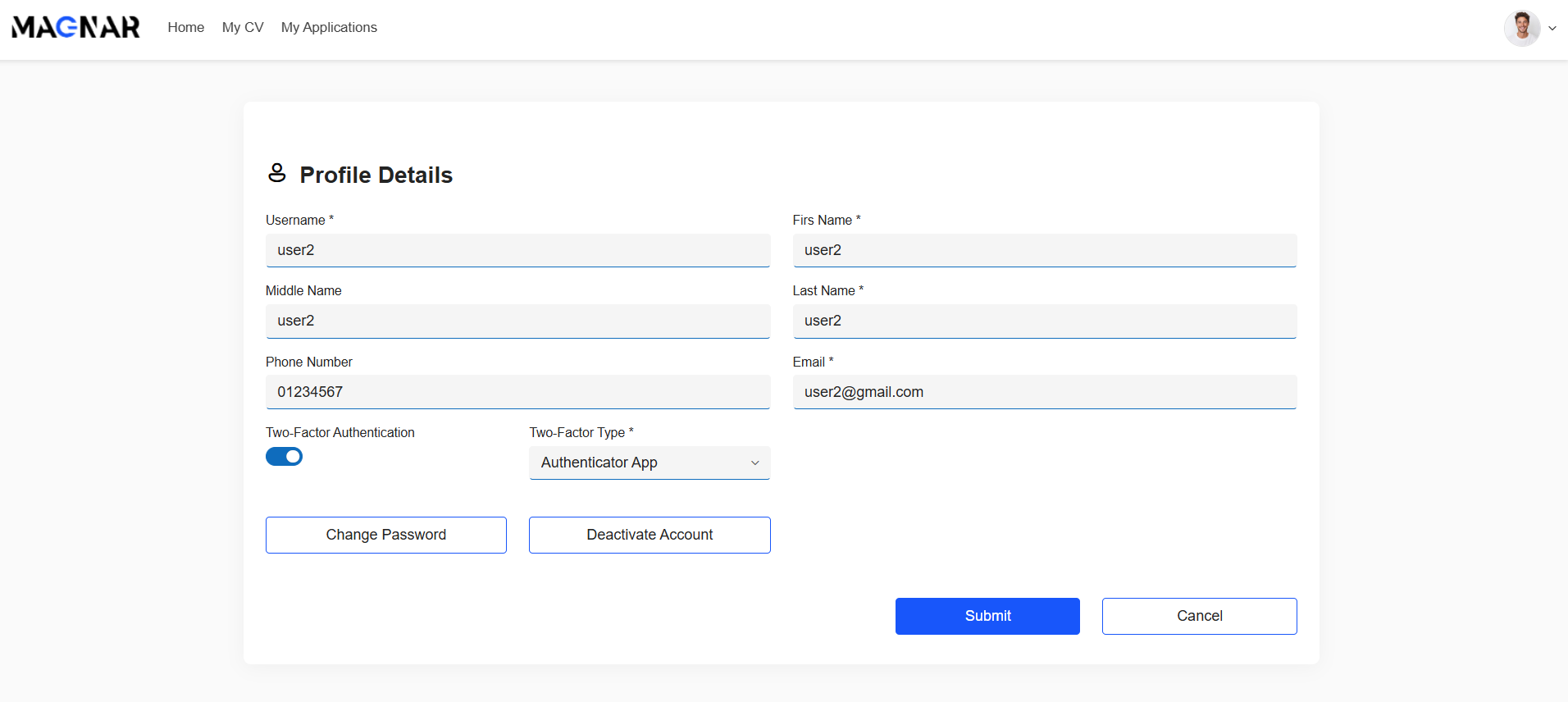
After logging in, users can access their profile to update personal information such as name, email, and phone number, change current password or disable their account.
For enhanced protection, users can enable Two-Factor Authentication (2FA). They can choose between email-based verification or an authenticator app. This feature ensures that even if credentials are compromised, unauthorized access remains blocked.
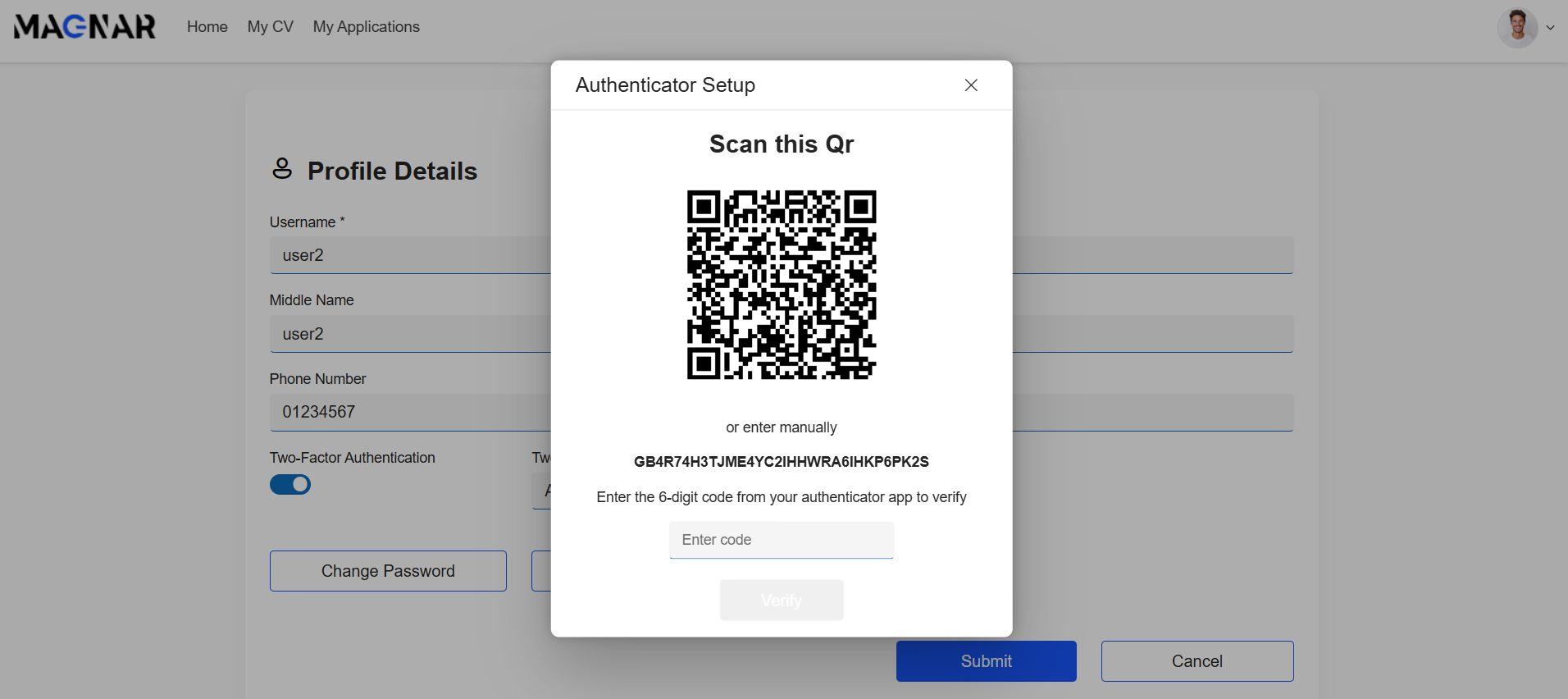
If the user chooses the authenticator app to complete setup, he must scan the displayed QR code with his preferred authenticator app (such as Google Authenticator or Microsoft Authenticator) or manually enter the provided key.
After scanning, enter the 6-digit verification code generated by your app and click Verify to confirm activation.
Profile details screen
Authenticator app setup
Was this article helpful?
That’s Great!
Thank you for your feedback
Sorry! We couldn't be helpful
Thank you for your feedback
Feedback sent
We appreciate your effort and will try to fix the article